“Within 30 seconds this thing helped me make a decision that I’ve been vacillating about for six months now.”
Audio Unleashed podcast
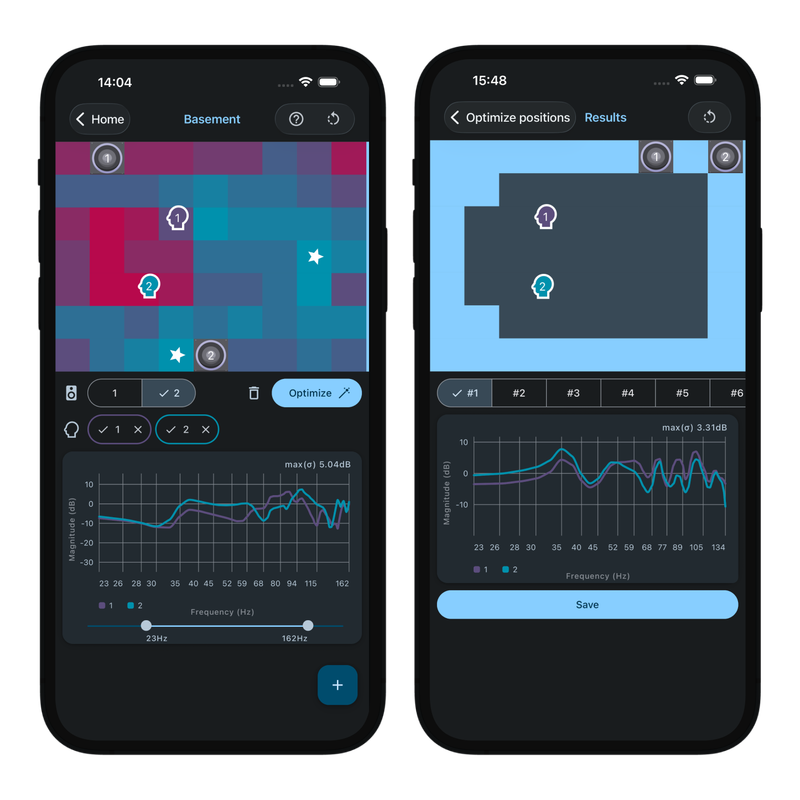
Subwoofer placement optimizer
Where should you put your subwoofer? Would another help? SubZone simulates your room to find the best positions in minutes, even for subwoofers you haven't bought yet.
When sound waves reflect off the walls, ceiling, and floor of your room, they create “room modes” that change the sound by boosting some frequencies and canceling others. This can result in bass that is boomy in one spot and thin in another. Placing your subwoofer correctly minimizes these effects, but the wrong placement can compromise the sound of even the best subwoofers.
The traditional solution is the “subwoofer crawl”, where you move your sub to your listening position, then crawl around the room on your hands and knees listening for the best spot. SubZone replaces that with a quick and easy scientific calculation you can run from the comfort of your seat.
SubZone runs a full acoustic simulation, rather than estimating individual room modes, which is what keeps its results accurate. As a result, it currently supports only rectangular “shoebox” rooms.
Full acoustic simulation of every possible subwoofer position
Frequency response plot for each zone, showing which frequencies are boosted or cut, and by how much
Add multiple listening positions, so that the whole seating area sounds good
Simulate multiple subwoofers to see how they interact, or search for their ideal positions automatically
Step-by-step tutorial to get you started, plus full detailed documentation
Expert support on hand to answer your questions or resolve any issues
All data is stored and processed on your device, and no account or sign-in is required
No in-app purchases or artificial limits on rooms, simulations, listening positions, or subwoofers
Dark and light color schemes included